
Available with any of the following tiers: Premium & Hospitality Plus
Instructions
- Log in to your OpenTable guest center
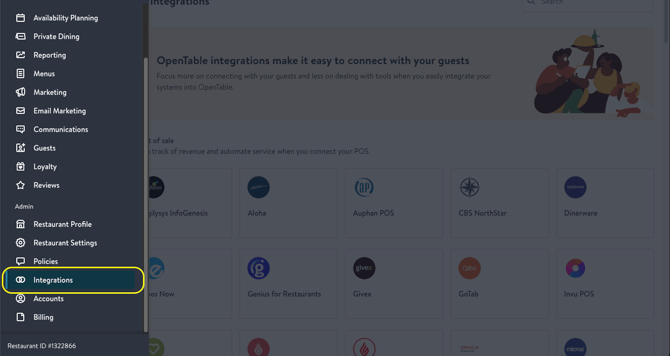
- Click the left-hand navigation, and scroll down to "Integrations".
- Navigate to "Phone Automation".
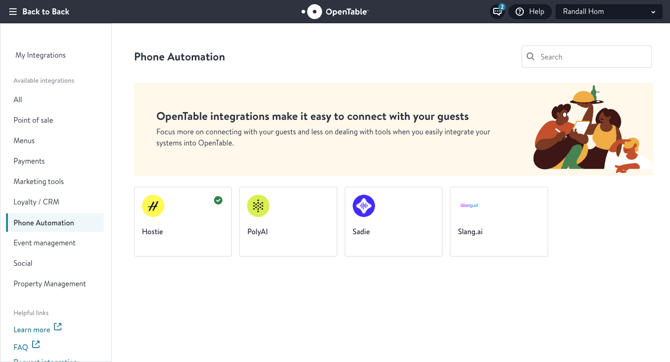
- Click "Hostie", then "Get Started".
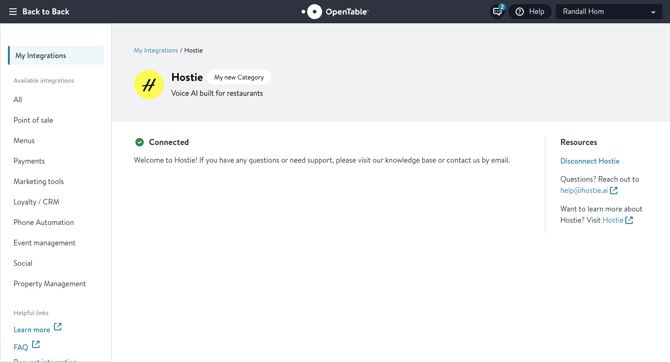
- You'll be asked to "Connect" the integration.
- Log in to Hostie, and you'll be connected.
Pro tip: Check your availability planning settings, as this is what reflects when we book for you!
If you do not see this available, reach out to opentable@hostie.ai to upgrade their account or if you have any questions!